A bad Tuesday, and the appointment three weeks later
It is Tuesday afternoon. The light through the office window has turned unbearable and there is a familiar pressure behind one eye. You find somewhere dark, take your usual tablet, and promise yourself you will write it down properly later. Later, you are asleep.
Three weeks on, the neurologist asks the questions every clinic asks. How many attacks this month? How long did they last? What did you take, and did it work? What was happening the day before? You say “maybe four, or five?” and the appointment moves on.
A migraine diary app exists to close that gap. Sayved is built so that writing the attack down costs a sentence, said while it is still happening, rather than an evening of reconstruction.
Why a spoken log beats memory for a headache diary
Migraine is awkward to track precisely because the attack makes tracking hard. Typing into a form with a pounding head, a screen that hurts to look at and fingers that miss the buttons is a poor plan. Memory is no better: the details a clinician wants, such as start time, what you took and when, and what the day before looked like, are exactly the ones that blur.
Speaking is the lowest-effort way to capture them. Sayved transcribes your voice on the phone, then reads the text and files it. You do not choose categories. A single sentence can become a symptom entry, a medication entry and a note about sleep, each stored separately so they can be counted and searched later. Each entry is dated and timed, and you can say “around two” when you know it started earlier.
How do I set up a migraine diary in two minutes?
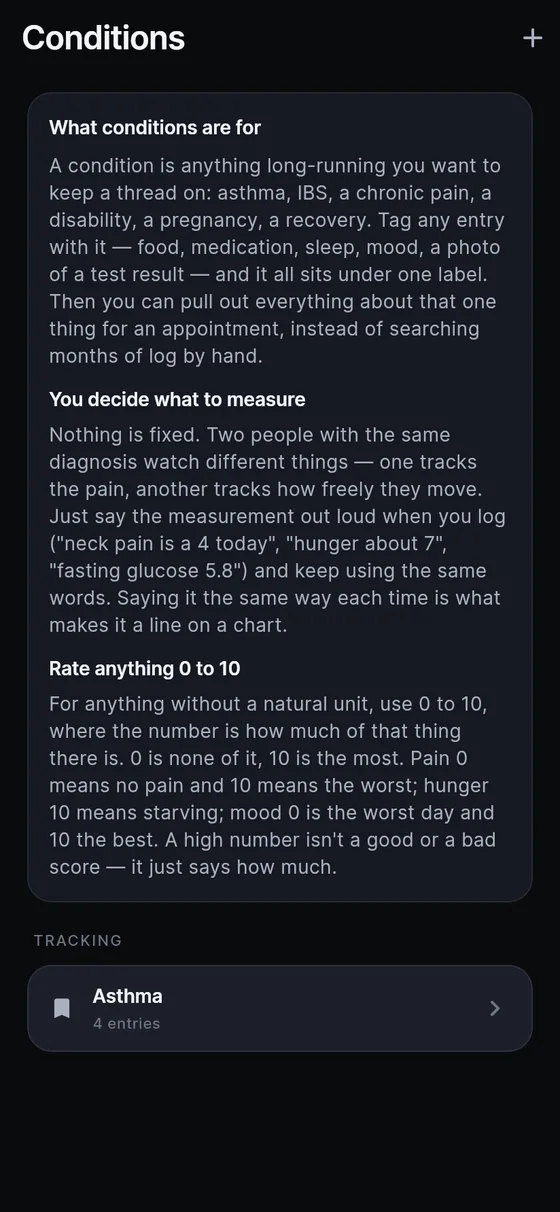
- Make the condition. Open Settings → Conditions and add a new one. Name it in your own words: “migraine”, “headaches”, “my head”. The app keeps your label exactly as written and never renames it into a clinical term. Because you created it, the app never asserts that you have it.
- Decide whose log this is. If you also track a partner or a child, give each person a profile in Settings → Family, which asks for a name and nothing else. Migraines stay in your own log file, separate from everyone else’s.
- Log the things that matter to a clinician. Symptoms, any tablets or injections, sleep, caffeine and meals are all categories the app understands. Mood and energy are optional. Say as much or as little as you like.
- Save the tablet as a routine, if you take a preventive daily. Open a medication entry and choose “Add to daily routine”. It waits on the Today tab, and one tap files it again. Symptoms cannot be saved as routines, by design, because a tap cannot make a headache true.
- Optional reminders. In Settings → Reminders you can add a prompt at a time you choose, in your own words. Nothing is on until you turn it on.
Once the condition exists, any entry that uses its name is linked to it automatically, and anything logged earlier is gathered up too. Each link is visible on the entry and removable in one tap.
What can I say to log a migraine?
Plain speech works. Some examples of what people actually say:
- “Aura started about ten past four, zigzag lines in my left eye, no pain yet.”
- “Migraine, pain about a 6, nauseous, lying down in the dark.”
- “Took ibuprofen four hundred and then a sumatriptan an hour later.”
- “Woke up with it. Slept about five hours, had red wine last night.”
- “Better now, down to a 2, still tired.”
Ratings use one 0–10 scale across the whole app, where the number is how much of the named thing there is. Pain 10 is the worst pain. If you only say “bad”, the app converts the word to a number, shows you the conversion (“Read from ‘bad’”) and lets you drag the slider. A number you state always wins over the adjective beside it.
What should I ask my migraine log after a month?
The Ask tab answers questions in plain language, using only the entries you have logged. It answers when you ask. It never pushes an observation at you, and it never claims one thing causes another. Useful questions after a few weeks:
- “How many days did I have a migraine in the last month?”
- “What did I take the last time I had a pain of 7 or more?”
- “List every sumatriptan dose since the first of the month.”
- “What did I log on the days before each migraine?”
- “How long was my last attack?”
The last two ask for your own entries to be laid side by side. What those entries mean is for you and your doctor to discuss. If the log is thin, the answer carries a caveat saying so.
How do I bring a migraine diary to the doctor?
Open Settings → Doctor report. Choose the person (switch profile first if it is not you), choose a period of one month, three months, six months, a year or everything, and pick your migraine condition from the list. Leave “Include health, medication and mood” on, since that is usually what a clinician needs.
The result is a readable, day-by-day document rather than a spreadsheet. You can print it, save it as a PDF or send it ahead of the appointment. It states what you logged and keeps estimates as ranges. It does not summarise, grade or draw conclusions; that part is the clinician’s job. If you want to read about preparing for the visit itself, see what to tell your doctor.
What Sayved will not do for your migraines
It is a record, not a medical device. It does not tell you what an attack means, whether a tablet is right, or when to go to hospital. Sudden, severe or unusual symptoms are a reason to contact a medical professional or emergency services, not to open an app. The app also stays quiet about your habits: no scores, no good or bad days, no comparison with last month. The log describes what you said, and nothing more.
Reading your voice and photos, and Ask, are part of Sayved Pro: 14 days free, then $2.99 per month. Everything already logged stays readable, searchable and exportable afterwards at no cost. See condition tracking and the symptom diary for the details behind this setup.
 Sayved