What is a habit log without streaks?
Most people who start a supplement log or a daily-habit log quit within weeks, and the usual reason is not laziness. Saying “five grams of creatine” into a phone every morning for a year is tedious, and trackers that answer with counters and red days turn a missed morning into a small failure.
Sayved’s routines take the opposite approach. A routine is a shortcut for adding things faster, and that is all it is. You log something once, and from then on a single tap files the same entry again. There is nothing to maintain and no score to protect, so a habit log without streaks can be as quiet as the habit itself.
How do I log the same thing every day with one tap?
The best way to create a routine is from an entry you already have, because that carries over everything already worked out. Log the item by voice or photo, correct anything the app got wrong, then open the entry and choose Add to daily routine. What gets saved is the corrected version, so you never repeat a fix.
Settings has a Routine section where you can add a blank routine, reorder them, edit, pause or remove them. Blank routines suit things with nothing to measure, such as a stretch or ten minutes of quiet, where the entry is simply a record that it happened.
Each routine has a part of the day: Morning, Midday, Evening or Anytime. The card groups by these headings and shows only the sections with something waiting, so at 07:00 you are not looking at evening items. You can also choose the weekdays, which suits a leg-day session or a weekly injection.
What does the Today card look like?
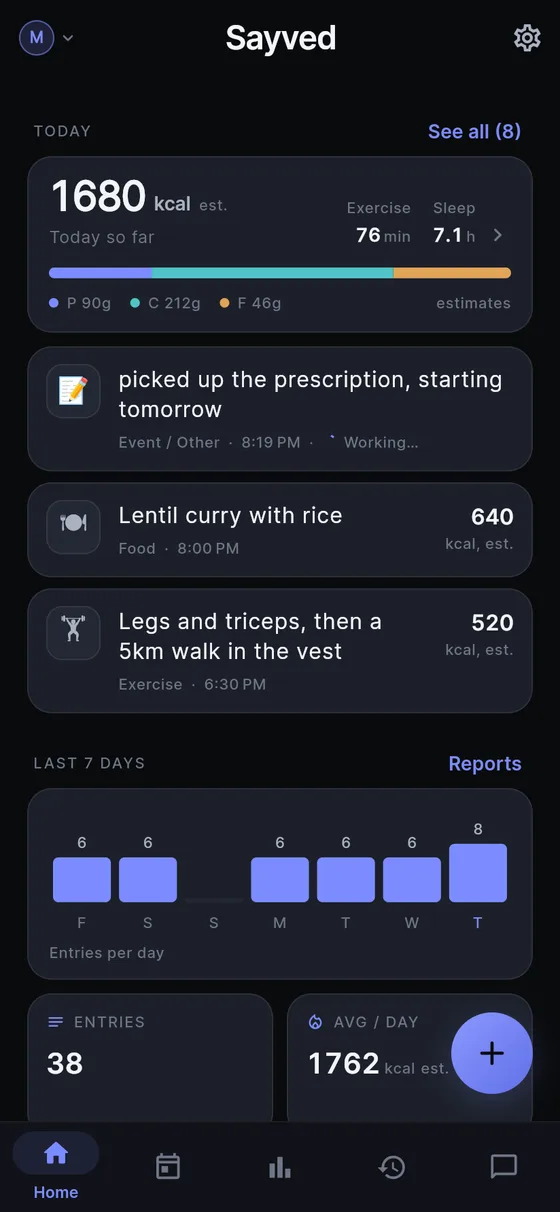
At the top of Today, the card lists what is waiting. Each row has a tick and a skip arrow. Tapping the tick creates a normal entry, as if you had said it, with the same amounts, and the row vanishes. Tapping the arrow clears the row and creates nothing. There is no dialog and no navigation, so five items take five taps.
Two details keep it calm. The saved-entry toast is suppressed for the tick, because the row disappearing is the confirmation. And when everything is resolved the whole card unmounts, so the screen goes back to normal rather than showing a finished tally.
If a routine is wrong that day, hold the tick. You pick an amount from a short list of fractions and multiples, or type your own, and the entry is filed at that amount, with the estimate and its range scaled together. The routine still says what you usually do. This is the “I took 10 g today, not 5 g” case without permanently editing the template.
Can a routine repeat through the day?
Yes. Set Repeat every to an interval within a window, for example every four hours between 08:00 and 22:00, and the card offers one occurrence at a time. Ticking the 12:00 dose does not discharge the 16:00 one. Once 16:00 arrives, 12:00 is no longer offered, whether you ticked it or not. The shortest interval is 15 minutes and there are at most 24 occurrences a day.
That “no catch-up” rule is on purpose. A list that grows through the afternoon with everything you did not do is an adherence tally, however politely worded. Sayved keeps the card to the present.
Reminders are available per routine, off by default and never prompted for. When you switch one on, Android asks for notification permission at that moment. Logging an occurrence quiets that occurrence’s reminder. For sensitive categories such as medication, the notification shows a fixed neutral line unless you typed your own wording, so a medicine name does not appear on a lock screen by accident. Tapping a routine reminder opens Today, not the microphone.
Which things can be a routine?
Anything that is an action: food, supplements, medication, exercise, caffeine or alcohol, time outdoors, social time and the catch-all other category. The rule is that actions repeat and measurements do not. Taking 5 g of creatine today and tomorrow really is the same entry. But re-filing “85 kg” with a tap would put a weight in your record for a day you never stood on the scale. So body measurements, sleep, mood and symptoms cannot be routines, and the Add to daily routine option simply does not appear for them.
This is a data-integrity rule, not a style choice. A log you might show a doctor has to contain only things that happened. See the supplement tracker and medication log for how the same entries read in your history, or ask about them later with Ask your health history.
What does Sayved deliberately not do?
It never files anything without your tap, because an unconfirmed entry would be invented data. It never shows “2 of 5 done”, a progress bar or a percentage. It does not count skips or suggest you remove an item you keep skipping, and removing is where you already are, in the long-press menu: edit, pause, or remove, with a plain note that entries you already logged are kept.
Because a tick needs no AI reading, routines keep working when the free trial ends, and they do not use up your daily allowance of AI captures.
 Sayved