Log anything from a photo: meals, scales, workouts and labels
Photograph it and Sayved works out what it is. A plate becomes a meal with calories, a bathroom scale becomes a weight entry, a treadmill screen or a running-app screenshot becomes a workout, and a label or a prescription is read and kept.
14 days free
No account, no email
Cancel anytime in Google Play
How it works
Tap + then PhotoTake a picture, choose one from your gallery, pick a screenshot from your files, or scan a multi-page document.
Check itA review screen lets you add more photos or a short caption, such as “this is duck, not chicken”.
It is filedSayved decides what the photo shows and files it under the right heading: meal, body, exercise, document. You never pick a category.
Fix anythingEvery number is editable. Your correction is stored beside the original reading.
Most people meet photo logging as a calorie counter: point the phone at dinner, get a number. Sayved does that, but it is the smallest part of what a photo can do. Anything with information on it can become an entry. The number on your bathroom scale, the summary at the end of a treadmill run, the label on a protein bar, the dose on a prescription. You take the picture, and Sayved works out what it is looking at and files it.
What can you log from a photo?
These are the photos people actually take, and what each becomes.
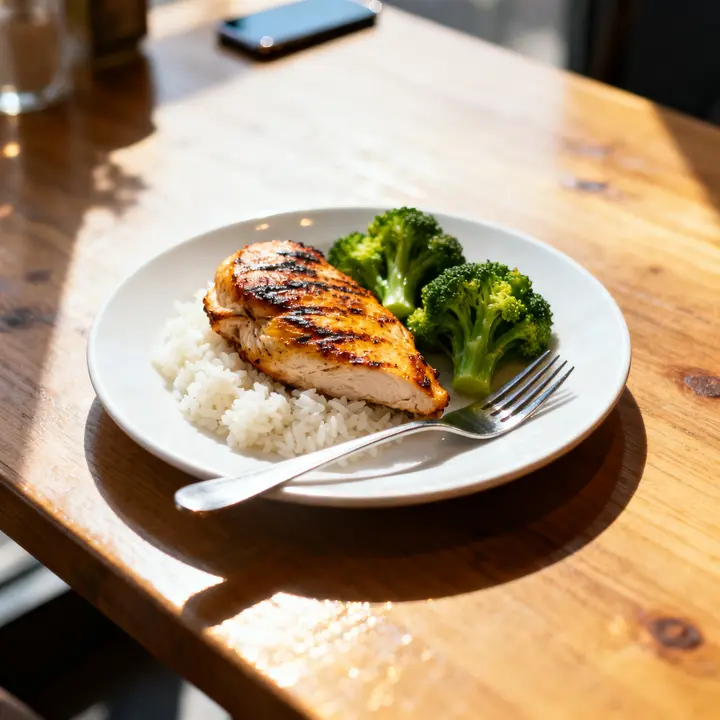
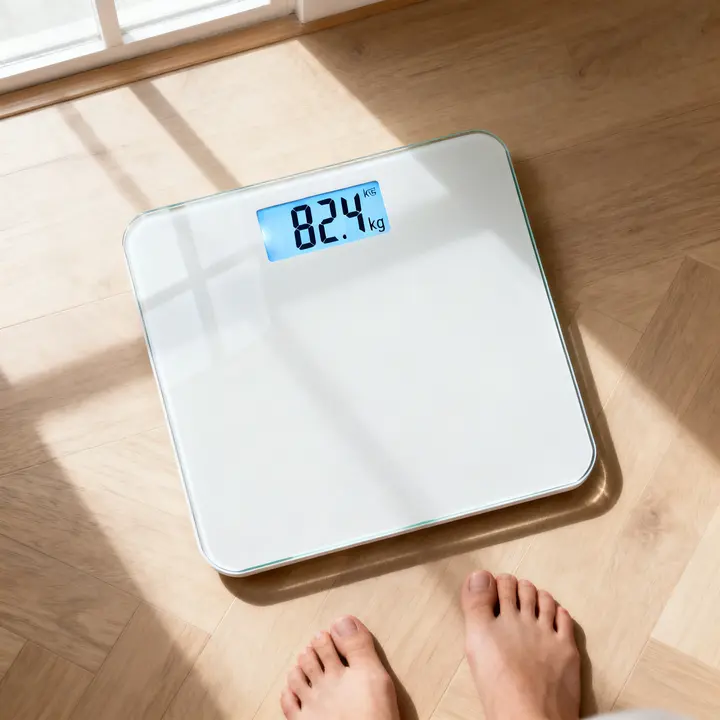
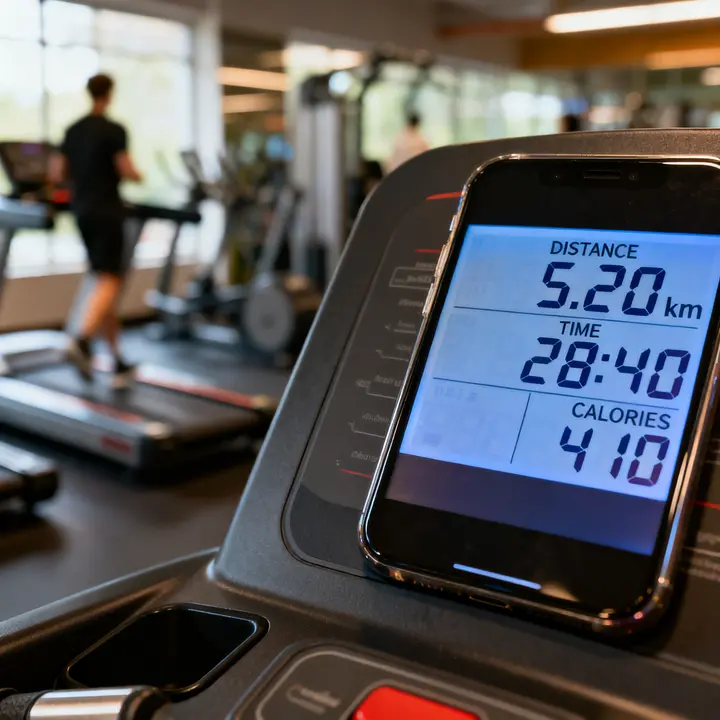
A mealFood, portion and calories with macros, each as an estimate with a range.Your bathroom scaleA body entry with your weight, read straight off the display.A workout screenAn exercise entry with distance, time and calories as shown.
Meals. A plate, a bowl, a takeaway box. Sayved names the foods, judges the portion and estimates calories, protein, carbohydrate and fat. This is the familiar case, covered in depth on the calorie estimation from a photo page.
Your bathroom scale. Step off, photograph the display, done. The weight lands as a body entry, so it appears on your weight chart and in reports without typing anything. Many scales also show the change since your last weigh-in, and when that is visible it is kept in the entry’s note.
Workout screens and screenshots. The summary screen at the end of a run in a running app, a watch’s workout page, a gym app, or simply a photo of the treadmill or bike console. Sayved reads the distance, the time and the calories off the screen and files an exercise entry. Because those numbers are read rather than guessed, they are stored with high confidence. If you train with a watch that does not talk to anything else, a screenshot is the bridge into your workout log.
Nutrition labels. Photograph the panel on the pack and say or caption how much you had. The label’s figures are scaled to the amount you ate, so 130 g of something labelled per 100 g is worked out for you. See the nutrition label scanner.
Documents. A prescription, a lab result, a discharge letter, a vaccination card. Documents are kept at a much higher resolution than food photos so small print stays legible, and several pages can be scanned as one entry. See scanning medical documents.
How does Sayved know what the photo shows?
You never choose a category. When the photo is read, the AI model decides what kind of thing it is looking at and returns the matching entry: a meal with an estimate, a body entry with a weight, an exercise entry with distance and duration, a document with its text summarised. The same rules apply as when you speak, so a photo and a sentence produce the same kind of entry.
When the picture cannot show something, add a caption on the review screen. “This is duck, not chicken.” “I ate half.” “Second set of the morning.” A caption is never required, and Sayved never stops you with a question. If it is unsure, it saves the entry with a lower confidence and lets you correct it later.
Photos you already have
Not every photo is taken in the moment. Choose Photo, then the gallery or your files, and pick a picture that is already on the phone. Screenshots are the obvious case: the workout summary your watch app showed you this morning, a meal you photographed at a restaurant last night. Add “last night” as a caption and the entry is filed at that time rather than now.
Estimates and readings are treated differently
A number read off a screen and a number guessed from a plate are not the same thing, and Sayved does not pretend they are.
When the photo shows a number in plain digits, such as a weight, a distance or a treadmill’s calorie count, that number is stored as read. When the number has to be estimated, as with the calories in a bowl of pasta, it is stored as a point value with a low and high bound and a confidence level, and every chart and report carries that range with it.
Either way, every value is editable. If a reading is wrong, type the right one. Your correction is kept next to the original reading, not over it.
What leaves your phone when you log a photo?
The original picture stays on your phone, attached to its entry. To read it, Sayved sends a downscaled copy to an AI model. Food photos are reduced to about 640 pixels on the long edge and documents to about 1536, which is enough to read them and no more. No name, email or account is attached, and nothing is kept on our servers. The full detail is on the privacy page.
Pair it with usuals
A photo is the fastest way to log something new. For the things you have every day, it is faster still to photograph them once and save the entry as a usual. After that it is a single tap, the saved photo becomes the usual’s picture, and no reading is needed at all. Everything you log by photo, by voice or by tap ends up in the same life log, searchable and ready to ask questions of later.
What it looks like
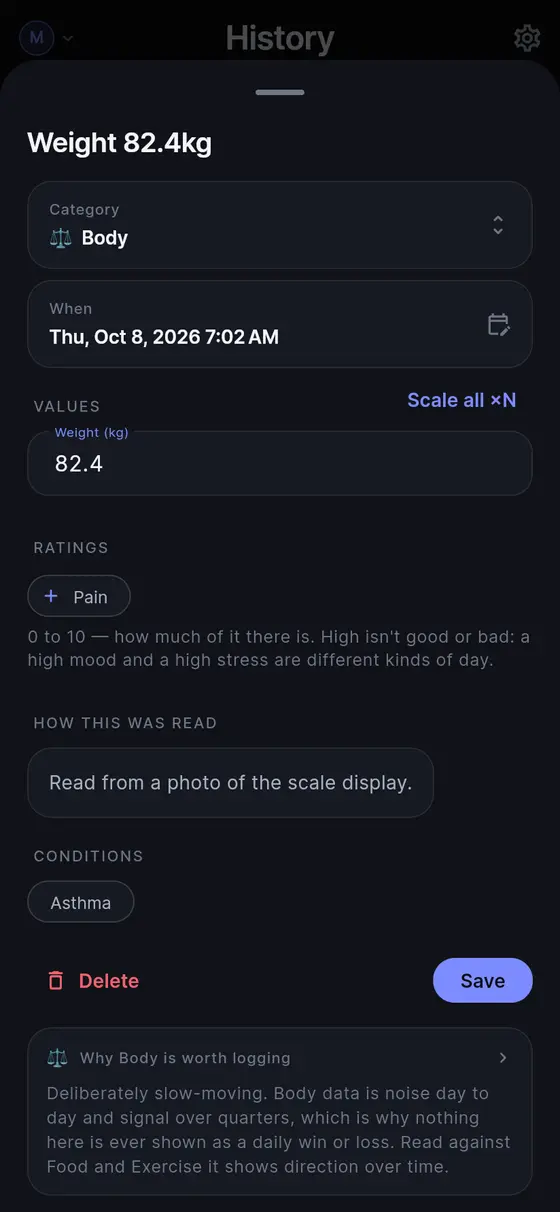
“Photo of a bathroom scale showing 82.4 kg”
Body, this morning
Weight
82.4 kg
Source
Read from the scale's display
Category
Body (chosen automatically)
Illustrative entry. A number read off a display is stored as read; an estimate from a plate always carries a range.
What it doesn't do
A photo of food is an estimate. A camera cannot weigh a plate or see the oil in the pan, so calories always come with a range.
It reads what is visible. A blurry display or a cropped screenshot gives a less confident entry, which you can correct.
Reading photos needs Sayved Pro or the free trial. Without it a photo is still saved and can be read later.
It keeps the record. It does not interpret a lab result or tell you what a reading means.
Questions people ask
Can I log my weight by photographing my scale?
Yes. Point the camera at the display after you step off. Sayved reads the number and files a body entry with your weight. If the display also shows the change since last time, that is kept in the entry's note.
Does a workout screenshot work?
Yes. A screenshot from a watch, a running app or a gym app, or a photo of a treadmill or bike console, is read for distance, time and calories, and filed as an exercise entry.
Do I have to tell it what the photo is?
No. Sayved decides whether it is a meal, a reading, a workout or a document. A caption helps only when the picture cannot show something, such as which fish it was.
Can I use a picture that is already on my phone?
Yes. Choose from your gallery or from your files. Screenshots work exactly like photos taken in the moment.
What happens to the photo itself?
The original stays on your phone with the entry. To read it, a downscaled copy is sent to an AI model with no name, email or account attached, and nothing is kept on our servers.
 Sayved